
GPT Image 2.5 and GPT Image 2
OpenAI's image model for photoreal people, sets and lighting from a long brief. Run it in Faceless from a prompt or your own pictures.
Updated · By Faceless
GPT Image is OpenAI's image model, and Faceless runs GPT Image 2.5 and GPT Image 2
GPT Image 2.5 turns a written brief into a photoreal picture at 1K, 2K or 4K in 8 shapes, and can work from up to 16 of your own pictures. A picture is 1 credit at 1K and 2 credits at 2K. Type a prompt below and it opens in the Faceless Text to Image studio with the version you pick.
GPT Image 2.5 or GPT Image 2: which to use
- GPT Image 2.5 for photoreal people and places, and for long art direction. It costs 1 credit a picture at 1K and takes about 60s.
- GPT Image 2 when you want several takes at once: up to 4 pictures in one run, at a low, medium or high quality step.
Write the brief like a photographer's note. GPT Image reads full sentences well, so describe the scene the way you would brief a person: who, where, the light, the lens, the mood.
What GPT Image costs: 1 to 5 credits a picture
| Version | Credits a picture | Shapes | Reference pictures | Pictures a run |
|---|---|---|---|---|
| GPT Image 2.5 | 1K 1 · 2K 2 · 4K 2 | 1:1, 3:2, 2:3, 4:3, 3:4, 16:9, 9:16, 21:9 | up to 16 | 1 |
| GPT Image 2 | Low 1 · Medium 2 · High 5 | 1:1, 3:2, 2:3, 4:3, 3:4, 16:9, 9:16 | up to 10 | up to 4 |
Credits come with every plan. Starter is $29 a month for 500 credits, about 250 GPT Image 2.5 pictures at 2K. See pricing for the other plans.
Where GPT Image runs in Faceless
- Open the Text to Image studio. Open Text to Image and pick GPT Image 2.5 or GPT Image 2 in the Model menu. The box above opens it with GPT Image already picked.
- Write the brief, add reference pictures if you have them, and pick the size or quality and the shape.
- Make it. The credit price shows before you start. To turn a picture into video, add it as the first frame of a Seedance 2.5 clip in Text to Video.
GPT Image 2.5 also works behind the scenes: when a Text to Video clip stars one of your saved characters, it draws the opening still that keeps their face the same.
How to write a GPT Image prompt
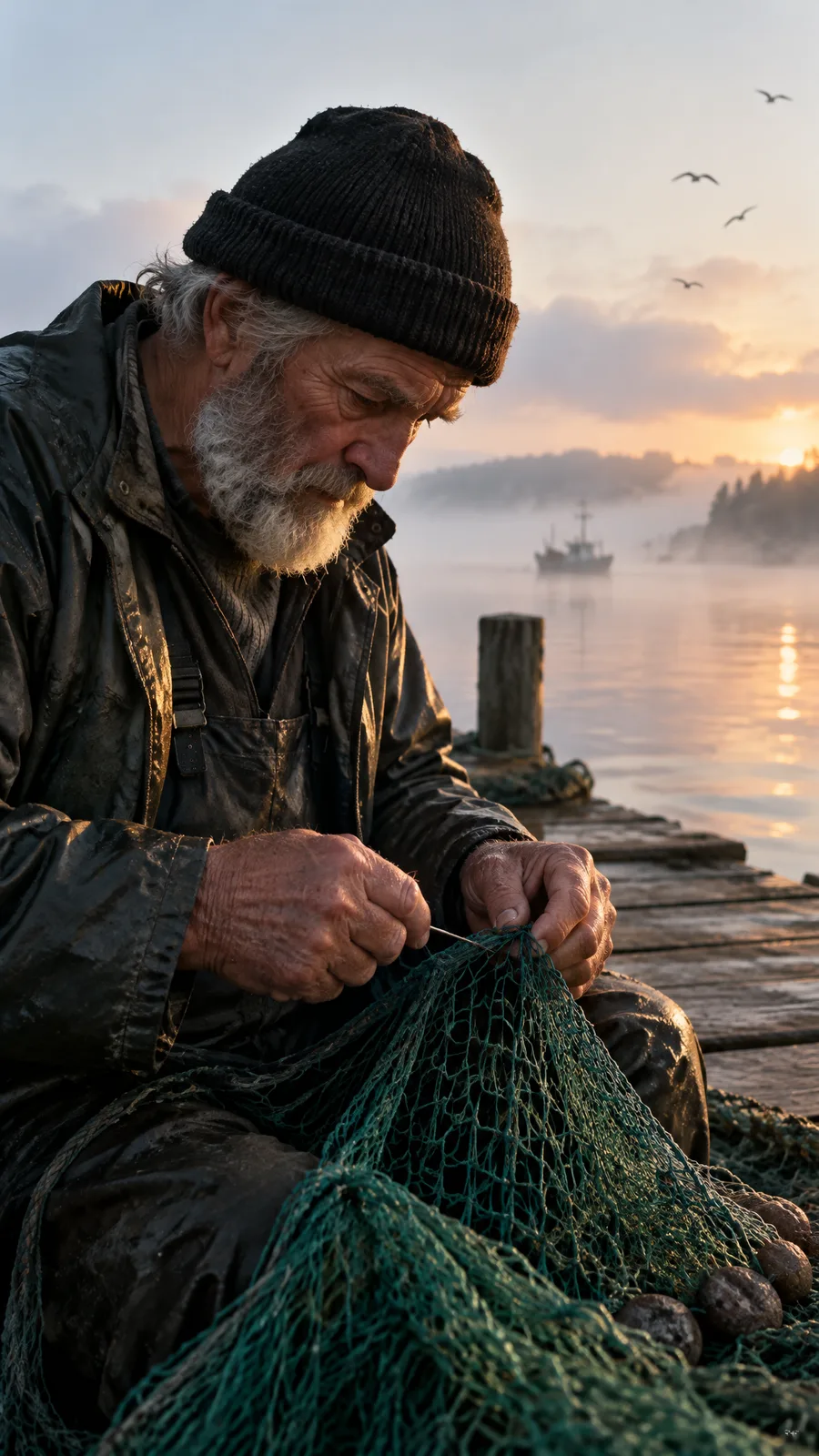
- Lead with the subject and the action. "An old fisherman mending a green net", then the place and the time of day.
- Then the camera. Lens, framing and depth of field: "35mm, shallow depth of field, vertical".
- Then the light. "Warm low side light on his hands" does more than "beautiful lighting".
- Ask for texture. "Natural skin texture" keeps people from looking airbrushed.
When another model fits better
For pictures built around words, such as thumbnails and posters, use Nano Banana Pro, which places and spells text best. Both are in the same studio menu.
GPT Image questions
Versions, editing, sizes and credits
GPT Image is OpenAI's image model, offered to apps through OpenAI's API. It turns a written brief into a picture and is strongest on long, detailed instructions: who is in the scene, how it is framed, the light, and any words to render. Faceless runs GPT Image 2.5 and GPT Image 2.
Other models in Faceless
Ready to Create Your Own Videos?
Start creating amazing AI-powered faceless videos in minutes with Faceless